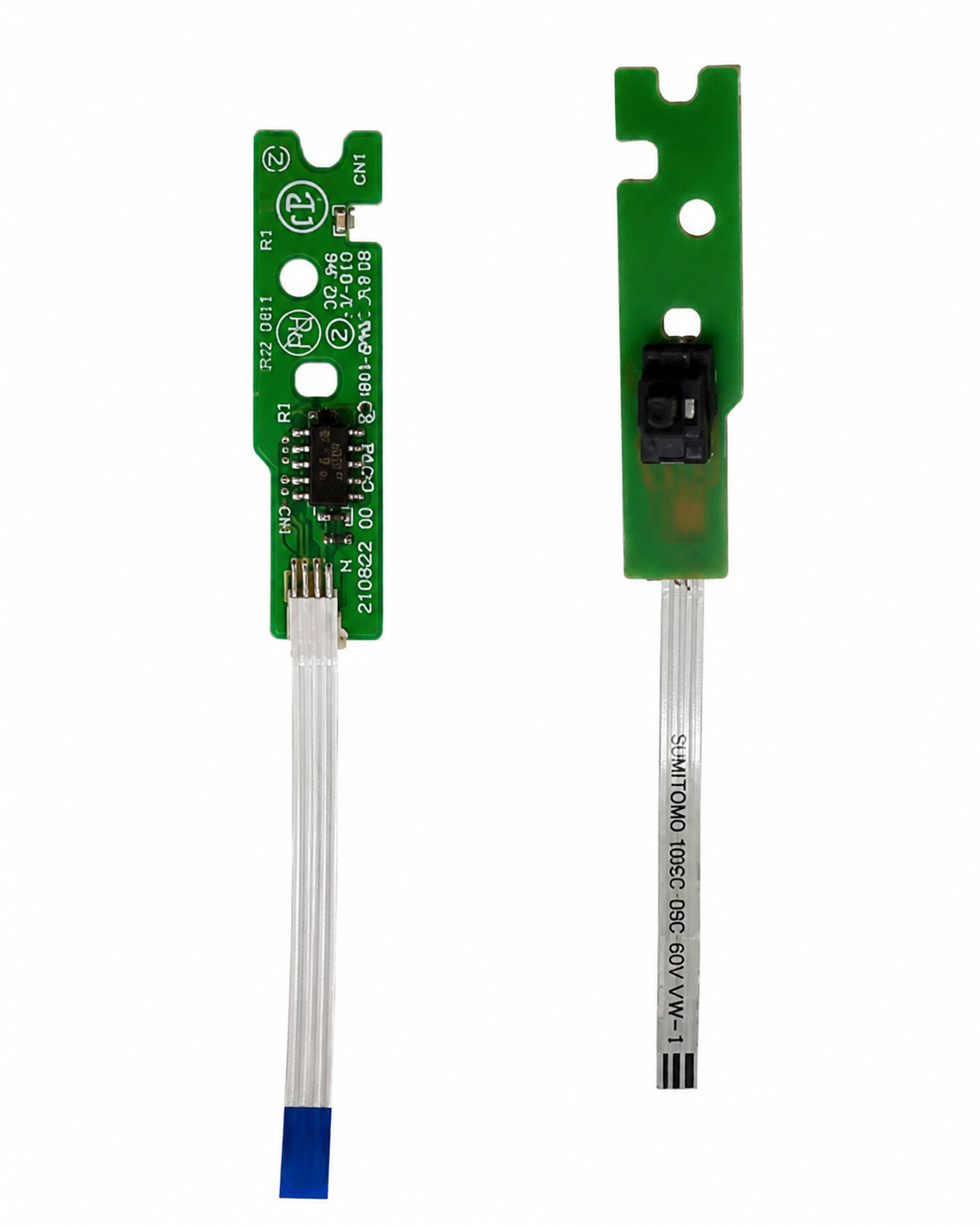
Door Sensor Compatible with HP Smart Tank 515, 516 and 530 Printers (Import Quality)
Share:
Door Sensor compatible with HP Smart Tank 500, 515, 516, and 530 printers. Premium import-quality replacement sensor designed for accurate door detection and reliable printer operation.
Door Sensor designed for compatibility with HP Smart Tank series printers. This import-quality sensor is responsible for detecting the status of the printer cover, cartridge access door, and maintenance access panels, ensuring proper printer operation and safety monitoring.
A damaged, faulty, broken, loose, or malfunctioning door sensor can cause printer errors, cover open warnings, startup issues, printing interruptions, and sensor detection failures. This replacement door sensor helps restore accurate door detection and normal printer functionality.
Manufactured using premium import-quality components, the sensor offers reliable performance, precise detection, and long service life. It is ideal for printer servicing, maintenance, repair, refurbishment, and replacement applications.
Product Type: Door Sensor
Quality: Import Quality
Compatible Models
HP Smart Tank Series
- HP Smart Tank 500
- HP Smart Tank 515
- HP Smart Tank 516
- HP Smart Tank 530
Features
- Premium Import Quality
- Accurate Door Detection
- Reliable Performance
- Durable Construction
- Easy Installation
- Long Service Life
Applications
- Printer Repair
- Printer Maintenance
- Sensor Replacement
- Door Detection Repair
- Printer Restoration
Also Known As
Cover Sensor, Door Detection Sensor, Lid Sensor, Printer Door Switch, Cover Open Sensor, Access Door Sensor
Related products

Power Supply Fo...


You may add any content here from XStore Control Panel->Sales booster->Request a quote->Ask a question notification
At sem a enim eu vulputate nullam convallis Iaculis vitae odio faucibus adipiscing urna.
Reviews
There are no reviews yet.